
If you’ve scrolled through Instagram or TikTok lately, you’ve seen them.
Stunning, retro-style photos of women in beautiful sarees, looking like they stepped right out of a 90s Bollywood film. It’s the “ai saree” trend, and it has taken social media by storm. What started with a few viral posts has become a global phenomenon, with users everywhere eager to create their own vintage-inspired masterpieces.
But for many, the trend seems complex. You hear terms like “Gemini Nano Banana” or see guides that require you to write long, complicated text prompts just to get a decent image. It can feel more like coding than a creative project.
What if there was an easier way? A way to get those same jaw-dropping results in just a few clicks?
Enter a1.art, a powerful and intuitive AI art generator that simplifies the entire process. In this guide, we’ll walk you through the exact steps to create your own viral AI saree photo using a1.art, from installation to sharing your final image. We’ll also provide a library of “copy and paste” prompts for advanced looks and discuss the important safety side of this new tech.
What is the Viral “AI Saree” Trend
At its core, the “AI Saree” trend is about nostalgia and transformation.Users upload a selfie and use an AI image generator to reimagine it, typically in a “retro Bollywood” or “90s film aesthetic.” The resulting images have a distinct, cinematic, and often glamorous feel—a far cry from a simple selfie filter.
The trend exploded in popularity thanks to the “Gemini Nano Banana” AI model (Google’s codename for its AI image generator), which was particularly good at creating this specific style.Suddenly, everyone had the power of a movie poster designer in their pocket.
Why Choose a1.art for Your AI Saree Photos?
While Google’s Gemini is powerful, it’s like a blank canvas with a complex set of paints. You need to be a “prompt engineer,” writing long strings of text to get what you want. a1.art is a different experience. It’s an entire ai art generator that gives you the best of both worlds: 1-click simplicity and deep customization.
What is a1.art?
a1.art is an advanced AI Photo designed for everyone, from first-time users to professional artists. It offers free daily credits, allowing you to experiment with over 150,000 community-trained styles. Its core magic lies in its “ai image generator” technology. You can upload your photo and instantly apply thousands of different styles, seeing your transformation in seconds.
How to Create Your AI Saree Photo with a1.art
Ready to create your masterpiece? Follow these three steps to effortlessly generate stunning Saree art:
Step 1: Access the AI Saree Art Generator
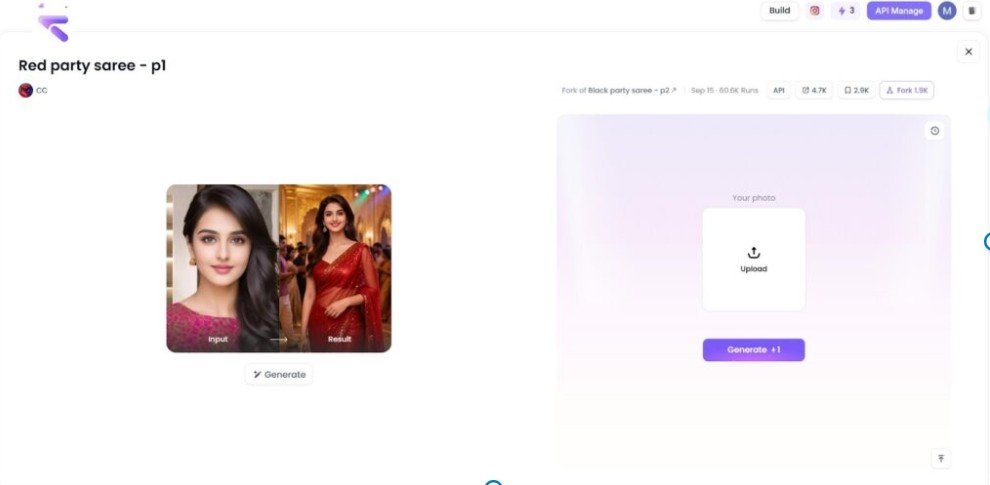
- Go to a1.art.
- Navigate to the ai saree art generator feature page.
- You will be prompted to begin the creation process.
Step 2: Provide Your Input
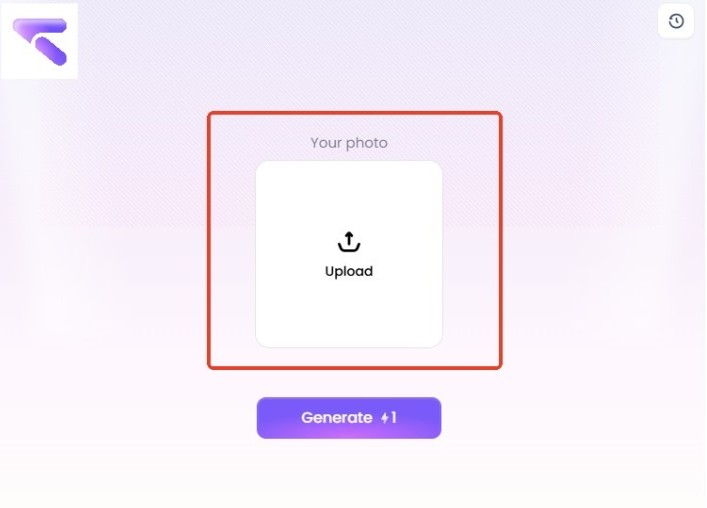
- Upload an Imag
Upload a clear, well-lit selfie or photo of yourself where your face and basic body shape are visible. The AI will use this photo as the core model to ensure the generated image looks like you.
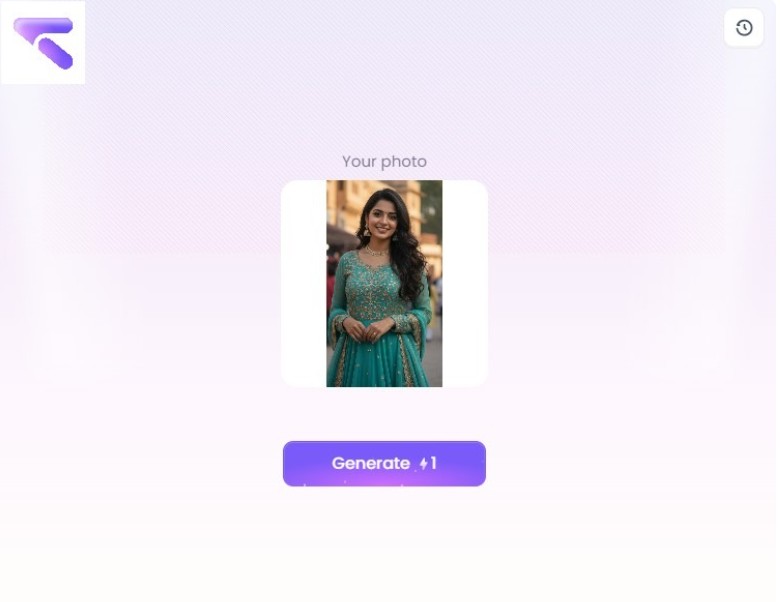
- Pro-Tip: Using a high-quality photo maximizes the quality of the final output’s facial features.
Step 3: Generate, Refine, and Download
- Click ‘Generate’. The platform’s advanced algorithms will instantly analyze your photo and render the image.
- Wait a Few Seconds. The process is designed to be fast, delivering your unique AI Saree art almost instantly.
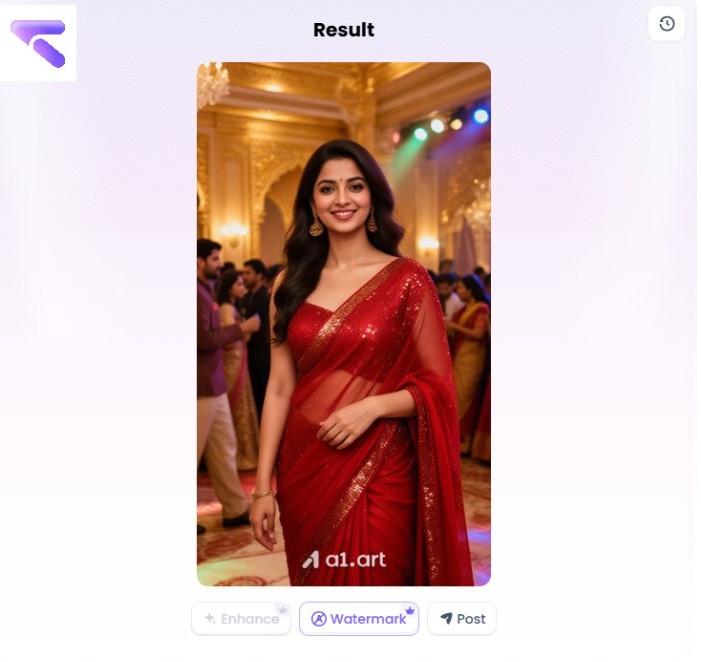
- Download Your Masterpiece! Once satisfied, download the high-resolution image for free and share it on your social media platforms.
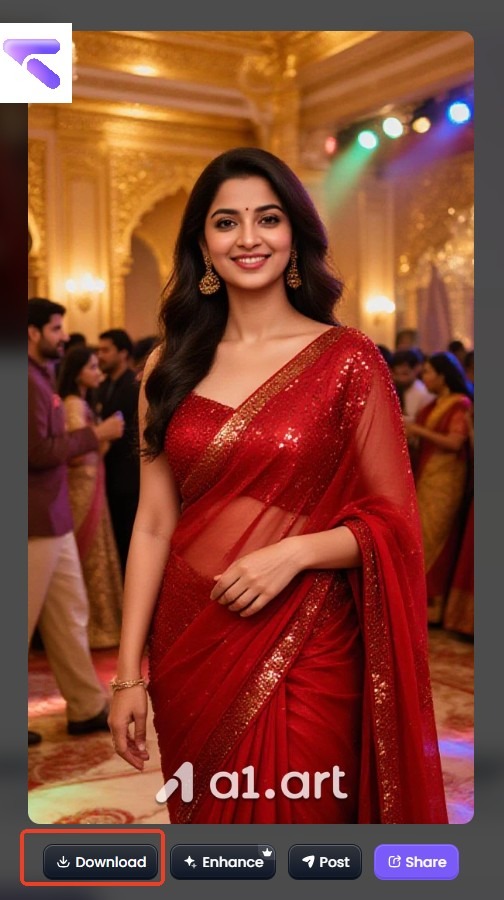
Your “Copy & Paste” AI Saree Prompt Library (For a1.art)
Here are four expertly crafted prompts you can copy and paste directly into the a1.art “Image to Image” text box. Remember to upload your selfie first!
Prompt 1: The Classic Retro Bollywood Look
This prompt is perfect for getting that iconic, film-poster-red-saree vibe.
Prompt: “A 90s Bollywood film poster, grainy photo, a woman (with my face) in a red chiffon saree, cinematic lighting, soft focus, retro aesthetic.”
Prompt 2: The Regal “Golden Banarasi” Look
This one focuses on texture and luxury, giving you a more traditional, royal appearance.
Prompt: “A hyper-realistic photo, woman (with my face) in a golden Banarasi silk saree, heavy traditional jewelry, royal palace background, warm golden hour lighting.”
Prompt 3: The Moody “Black Saree” Vibe
For something more cinematic and dramatic, this prompt uses atmosphere.
Prompt: “Cinematic film still, a woman (with my face) in a shimmering black saree, standing in the rain, moody lighting, 90s film aesthetic, dramatic.”
Prompt 4: The “Vintage Polka-Dot” Style
Want to move away from the 90s? This prompt gives you a fun, 1970s feel.
Prompt: “Vintage 1970s photo, a woman (with my face) in a polka-dot saree, retro hairstyle, soft pastel colors, grainy film look.”
Conclusion
The “AI Saree” trend is more than just a filter; it’s a new form of creative expression. It allows us to connect with a certain nostalgia and see ourselves in a new, glamorous light.
With a tool like a1.art, you no longer have to be a tech expert to participate. The power of 1-click style filters and an easy-to-use interface puts this creative power right at your fingertips.
So go ahead, dive in, and create your own masterpiece.
More Stories
Confidein: The Christian Smart Ring for Spiritual Growth
NxtLED™ vs OLED: Understanding Durability and Visibility Differences
Customer Service Explained: Processes, Channels, and Strategic Impact