
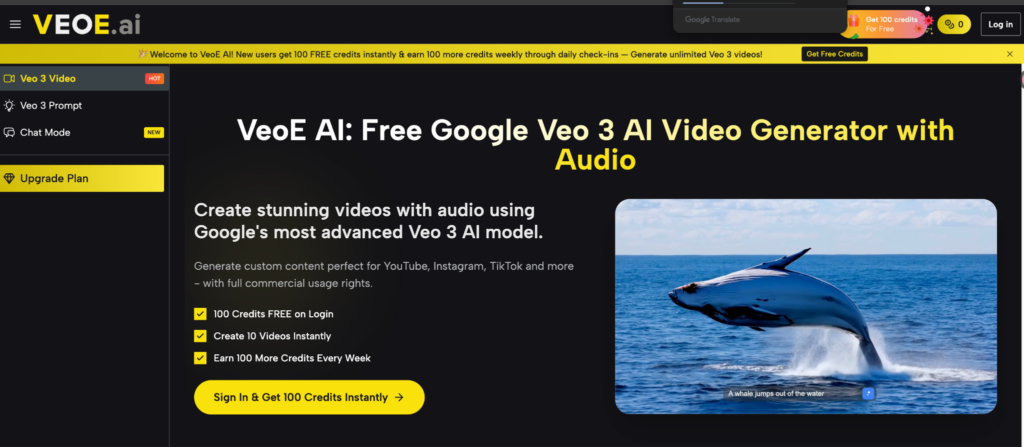
You have a video idea. A product demo, a short film concept, a TikTok hook that requires footage you can’t shoot yourself. Hiring a videographer costs $500+. Stock video doesn’t fit. Editing raw footage takes hours you don’t have. Veo 3 tools have changed this equation — and VeoE AI is one of the most complete platforms built around Google’s Veo 3 model available right now.
The Problem With AI Video Tools Today
Most creators run into the same two walls:
Single-model lock-in. Runway, Pika, and similar tools give you one model, one output style, one set of limitations. If the result is too cinematic, not cinematic enough, or the motion style doesn’t fit — you’re stuck. You end up adapting your creative vision to the tool’s constraints rather than the other way around. For marketers running ad variations, or creators who need different visual styles for different content types, that ceiling arrives fast.
Prompt quality gap. The difference between “a man walking in a city” and a proper Veo 3 prompt — with camera angle, lighting notes, motion direction, aspect ratio, and audio cues — is enormous. Creators who don’t know how to write model-optimized prompts get mediocre output, then conclude that AI video tools aren’t ready yet. Usually the tool is fine. The prompt is the problem.
What VeoE AI Actually Offers
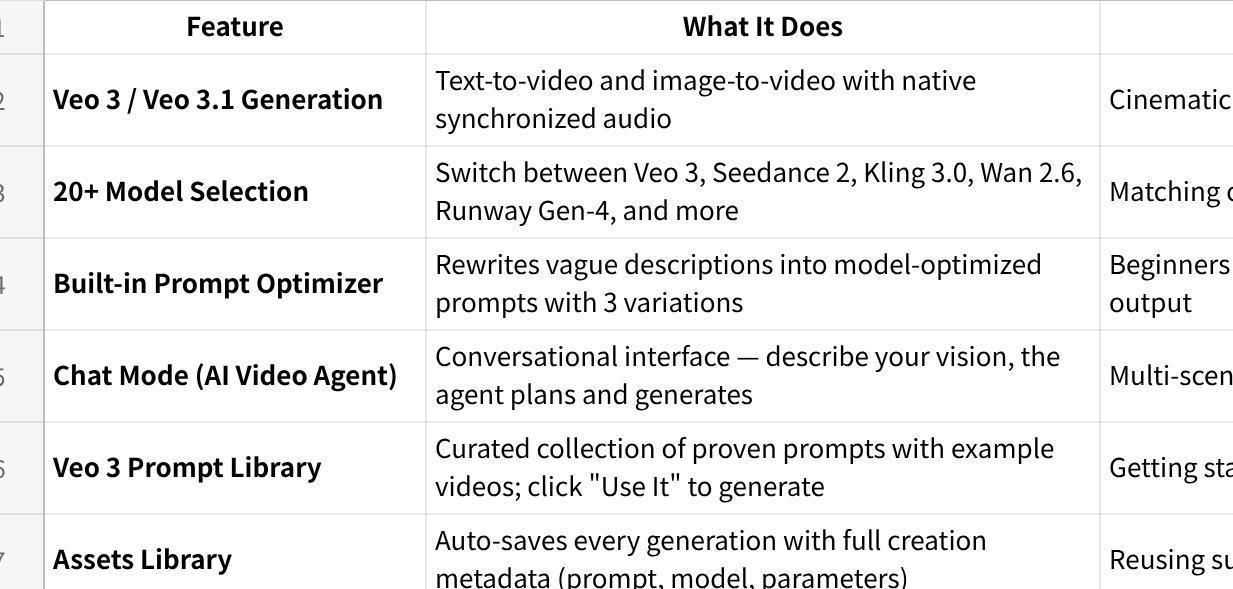
VeoE AI is built around Google’s Veo 3 and Veo 3.1 models, but it’s not just a wrapper. The platform bundles 20+ AI video and image models, a prompt optimizer, a conversational video agent, a community prompt library, and an asset management system — all under one roof.
Core Features at a Glance
What Makes It Different
Three things stand out from the typical AI video tool:
Multi-model access in one place. Most platforms make you sign up for three different services to get Veo 3, Kling, and Runway. VeoE AI puts all of them on one dashboard, billed under one plan. You pick the model that fits the job — Seedance 2 Fast for quick 20-second drafts, Veo 3.1 Premium for hero content with audio.
Prompt Optimizer built into the generation flow. You type a rough idea, and the optimizer expands it into a cinematic-grade prompt with three variations to choose from. This is the most practical solution to the “bad prompts = bad video” problem, and it’s built directly into the tool rather than being a separate step.
Chat Mode for multi-scene projects. The /chat/ interface lets you describe a full concept conversationally — the agent breaks it into generation tasks, maintains context across turns, and handles the sequencing. Useful when you’re producing a short film concept or a multi-shot product video and don’t want to manage each clip individually.
Pricing: Free Tier Is Genuinely Useful
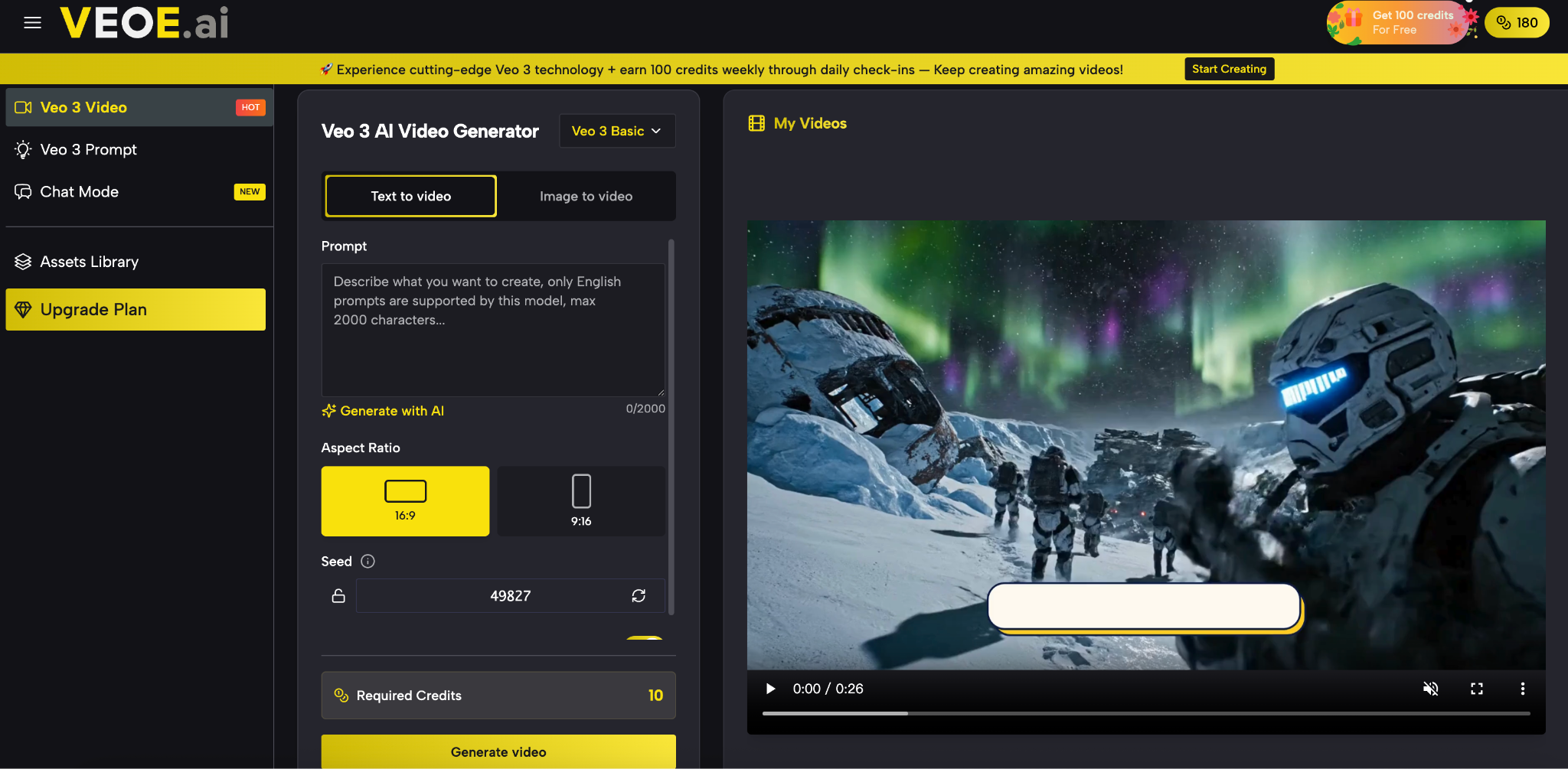
VeoE AI’s free access structure is more generous than most comparable tools. New users get 100 credits on login, and earn 100 more credits every week through daily check-ins — enough for ongoing experimentation without paying.
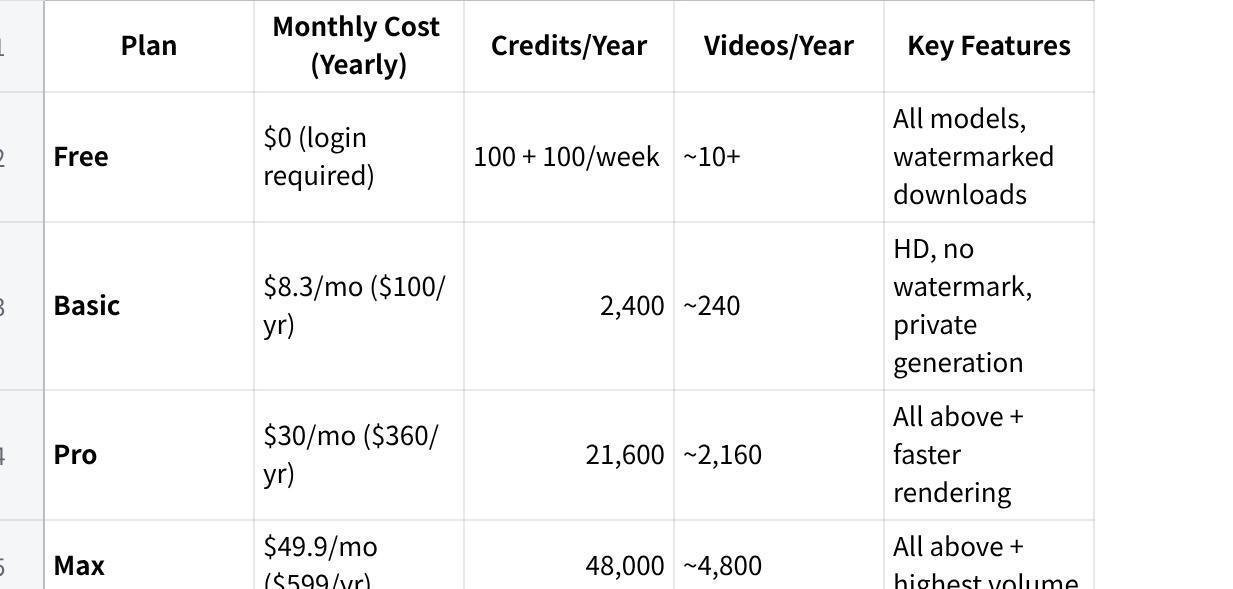
All plans include access to the full model library: Veo 3, Veo 3.1, Seedance 2, Kling 3.0, Wan 2.6, Runway Gen-4, Grok Imagine, and image models. Watermark-free HD downloads and private generation start at the Basic plan.
One thing worth knowing: video generation costs 20 credits per clip in standard settings. The weekly free credit replenishment means casual users can generate 5–10 videos per week without spending anything.
How to Generate Your First Veo 3 in Under 5 Minutes
Step 1 — Start with a scene description, not a genre label
Describe what you actually want to see on screen. Camera position, subject, environment, mood, and whether you want audio or silence.
|
Weak prompt: “a city at night” Strong prompt: “Low-angle tracking shot along a rain-slicked Tokyo street at midnight, neon signs reflected in puddles, a lone figure in a raincoat walking away from camera, ambient city sounds, cinematic 16:9” |
If you’re unsure how to write this, click “Generate with AI” in the prompt field — the optimizer rewrites it for you and offers three variations.
Step 2 — Pick your model
Veo 3.1 Basic — good default for most content, ~30 second render time
Seedance 2 Fast — 480p draft in under 20 seconds, great for testing ideas
Kling 3.0 — strong cinematic motion, good for action or character-focused clips
Veo 3.1 Premium — highest quality, with native synchronized audio, use for final output
Step 3 — Check the output before downloading
Preview in the player. Watch for: motion consistency, audio sync if applicable, and whether the visual matches the mood you described. If it’s close but off, adjust one element in the prompt — lighting, camera motion, or subject detail — and regenerate.
Step 4 — Access via Assets Library
Every generation is automatically saved to your Assets Library with the full prompt and model metadata. You can re-open any clip directly in the generator, adjust parameters, and iterate without rebuilding from scratch.
Output quality check:
✓ Motion is smooth and consistent throughout
✓ Audio (if generated) matches the visual rhythm
✓ The clip doesn’t look obviously AI-generated at first watch
✗ Regenerate if subjects distort mid-motion or lighting shifts unnaturally
Worth Testing Before Your Next Production
If you’re producing video content regularly — for ads, social, or client work — VeoE AI is practical to run through. The free weekly credits make it low-risk to test. The multi-model access means you’re not locked into one visual style. And the prompt optimizer removes the biggest barrier most people hit with AI video tools. It won’t replace every production workflow, but for content that would otherwise require stock footage, freelance videography, or hours of editing, it closes the gap faster than anything else currently available.
More Stories
The Gamification of E-Commerce: UX Retention Lessons from the iGaming Industry
The Tech and Gaming Innovations Making Horse Racing More Interactive and Engaging Than Ever Before
The Technology Stack Supporting Modern Online Slot Experiences